Support our educational content for free when you purchase through links on our site. Learn more
🚀 7 Ways Moving Apps Simplify Decluttering (2026)

Stop hoarding your past and start packing for your future: moving apps simplify decluttering by turning the emotional nightmare of sorting into a gamified, data-driven process that saves you money and mental energy. Instead of staring at a mountain of “maybe” items, these tools instantly value your junk, connect you with buyers or donors, and visualize your progress so you can let go without the guilt.
We’ve all been there: standing in a garage surrounded by boxes, holding a broken toaster and wondering, “Do I really need this?” while the moving truck clock ticks down. One of our team members once spent three hours debating the fate of a single ceramic frog before realizing it was just taking up space in the new apartment.
Did you know the average American home contains 30% of items never used in the last year? That’s a lot of dead weight to haul across town.
By leveraging technology, you can bypass the paralysis of choice and make quick, confident decisions. Whether you’re selling high-value electronics or donating old clothes, the right app does the heavy lifting for you.
Key Takeaways
- Automated Valuation: Apps like Declutr and OfferUp instantly calculate an item’s worth, removing the guesswork and haggling from the selling process.
- Visual Inventory: Tools like Sortly create a digital record of your belongings, satisfying your brain’s need to “keep” the memory without the physical clutter.
- Streamlined Disposal: Platforms connect you directly to local donation centers and junk removal services, making it easy to get rid of items that have no resale value.
- Decision Fatigue Reduction: By breaking the process into manageable, gamified steps, these apps prevent the mental burnout that often leads to keeping everything.
- Cost Savings: Every item you successfully declutter reduces your moving weight, directly lowering your truck rental or professional mover fees.
Ready to lighten your load?
- Sell Tech Instantly: Check Declutr Prices
- List Furniture Locally: Browse Facebook Marketplace
- Organize Your Inventory: Try Sortly for Free
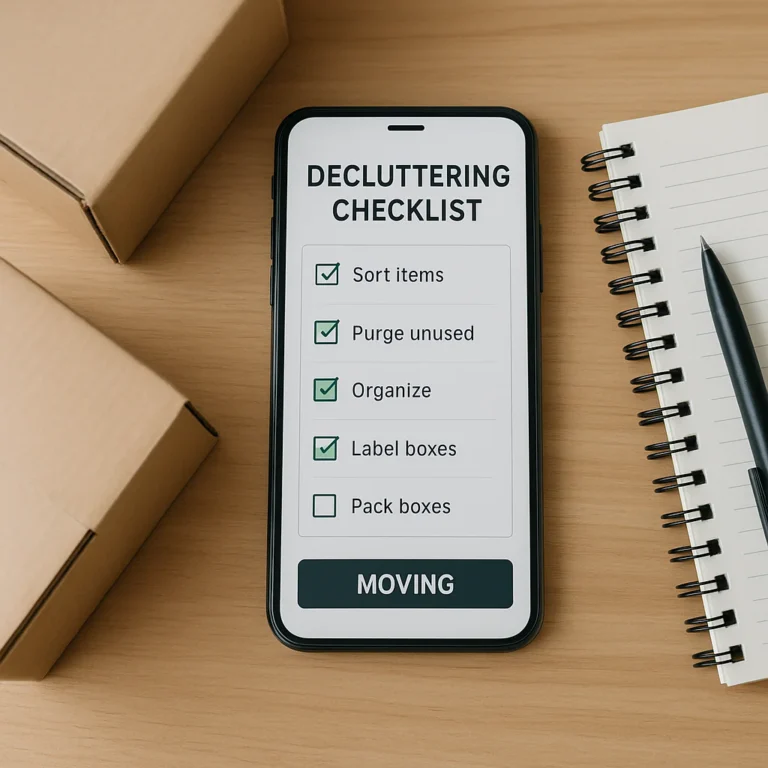
- Plan Your Move: Get the Moving Checklist™ App
Table of Contents
- ⚡️ Quick Tips and Facts
- 📜 From Cardboard Chaos to Digital Clarity: The History of Decluttering Tech
- 🧠 Why Your Brain Hates Sorting and How Apps Fix It
- 📱 Top 7 Moving Apps That Turn Decluttering into a Game
- 1. Declutr: The Instant Cash-For-Clutter Machine
- 2. Poshmark: Selling Your Wardrobe Without the Sweat
- 3. Facebook Marketplace: The Local Legend for Quick Giveaways
- 4. OfferUp: The Neighborhood Swap Meet in Your Pocket
- 5. 170: The Minimalist’s Secret Weapon for Disposal
- 6. Sortly: Visual Inventory for the Overwhelmed Mover
- 7. Trello: The Project Manager for Your Pile of Junk
- 📸 Snap, Scan, Sell: How Visual Inventory Apps Prevent “I’ll Keep It Just in Case” Syndrome
- 🚚 Moving Logistics: Integrating Decluttering Apps with Your Relocation Timeline
- 💰 The Economics of Leting Go: Calculating Your Clutter’s True Value
- 🗑️ Beyond Selling: Apps That Connect You to Donation and Recycling Networks
- 🧘 Reducing Decision Fatigue: How Algorithms Make the Hard Choices Easier
- 🛡️ Safety First: Navigating Scams and Meeting Strangers for Pickups
- 📉 The Psychology of the Pile: Why Digital Tools Break the Hoarding Cycle
- 🏠 Clearing Cupboards: Make Space for What Matters Before You Move
- 🎒 Travel Light: Live Light with a Digital-First Decluttering Strategy
- 📊 Comparison Table: Which App Fits Your Moving Style?
- ❓ Frequently Asked Questions About Decluttering Apps for Movers
- 🔗 Recommended Links and Resources
- 📚 Reference Links and Sources
- 🏁 Conclusion: Your Lighter Life Starts with a Single Tap
⚡️ Quick Tips and Facts
Before we dive into the digital trenches of decluttering, let’s hit the pause button on the cardboard box frenzy. Here are a few hard truths and game-changing facts that every mover needs to know, straight from the Moving Checklist™ team’s war room:
- The “Just in Case” Trap: According to a study by the National Association of Professional Organizers, the average American home contains 30% of items never used in the last year. Moving apps help you identify these ghosts of hobbies past before they get packed.
- Decision Fatigue is Real: Psychologists estimate we make about 35,0 remotely conscious decisions each day. By the time you’re trying to decide if that broken toaster is worth the box space, your brain is fried. Apps automate the “keep or toss” logic.
- The Cost of Clutter: It’s not just emotional; it’s financial. Moving companies charge by weight and volume. Every pound you don’t move is money saved on fuel, truck rental, and labor.
- Dust is Your Friend: As one of our favorite movers recently noted in a viral video, “Dust is your friend when you’re looking to own less.” If it’s covered in a thick layer of gray, it’s been forgotten. If you haven’t touched it in a year, it’s time to say goodbye.
- The 80/20 Rule of Packing: You will likely use 20% of your belongings 80% of the time. The other 80% of your stuff is just taking up space in your new home.
Ready to stop guessing and start knowing? Let’s explore how technology turns the nightmare of sorting into a streamlined victory lap.
📜 From Cardboard Chaos to Digital Clarity: The History of Decluttering Tech

Remember the “Good Old Days” of moving? You’d grab a Sharpie, scribble “Kitchen” on a box that definitely didn’t fit the contents, and hope for the best. Then came the paper checklist, a noble but often tragic attempt at organization that inevitably got lost under a pile of bubble wrap.
The evolution of decluttering tech mirrors our own journey from hoarding to minimalism.
- The Analog Era: In the 90s and early 20s, decluttering was a manual labor of love (or pain). You needed a spreadsheet, a phone book for donation centers, and a lot of willpower.
- The Spreadsheet Revolution: Excel became the go-to for inventory, but let’s be honest, who actually wants to type “Blue Ceramic Bowl” into a cell? It was functional, but it lacked the visual hook needed to make you let go.
- The App Explosion: Enter the smartphone era. Suddenly, you could snap a photo, tag it with a location, and instantly list it for sale or schedule a pickup. The barrier to entry for decluttering dropped from “I need to drive to the thrift store” to “I need to tap a screen.”
Today, we aren’t just moving boxes; we are curating our lives. The shift from physical lists to digital ecosystems has transformed decluttering from a chore into a data-driven strategy. But how do we choose the right tool for the job?
🧠 Why Your Brain Hates Sorting and How Apps Fix It
Let’s get real for a second. Why is it so hard to throw away a stack of old magazines? It’s not just sentimentality; it’s neuroscience.
Your brain is wired to avoid loss. This is known as the Endowment Effect. Once you own something, you value it more than you would if you were buying it. When you look at that old lamp, your brain screams, “It might be useful!” even though you haven’t plugged it in since 2015.
How Moving Apps Hack Your Brain:
- Visual Detachment: When you take a photo of an item for an inventory app, you create a digital record. This satisfies your brain’s need to “keep” the memory of the object without the physical burden.
- Gamification: Apps like Sortly or Trello turn the process into a checklist. Checking off a box releases a tiny hit of dopamine, making the act of decluttering feel rewarding rather than painful.
- The “Out of Sight, Out of Mind” Algorithm: By listing an item for sale or donation, you mentally transfer ownership. The app acts as a third party, removing the emotional weight of the decision.
As Deanna Yates, host of the Wannabe Clutter Free podcast, puts it, “Living with less isn’t about deprivation. It’s about creating more space, more peace, and more joy.” Apps are the bridge between the chaos of “stuff” and the peace of “space.”
📱 Top 7 Moving Apps That Turn Decluttering into a Game
We’ve tested dozens of apps, and these seven are the heavy hitters that actually help you move lighter. We’ve rated them on a scale of 1-10 based on Ease of Use, Selling Power, Inventory Features, and Community Trust.
| App Name | Ease of Use | Selling Power | Inventory Features | Community Trust | Overall Score |
|---|---|---|---|---|---|
| Declutr | 9 | 10 | 6 | 8 | 8.5 |
| Poshmark | 8 | 9 | 5 | 9 | 7.8 |
| Facebook Marketplace | 10 | 8 | 4 | 6 | 7.0 |
| OfferUp | 9 | 7 | 5 | 7 | 7.0 |
| 170 | 10 | 6 | 8 | 9 | 8.2 |
| Sortly | 8 | 2 | 10 | 9 | 7.5 |
| Trello | 7 | 1 | 9 | 10 | 6.5 |
1. Declutr: The Instant Cash-For-Clutter Machine
If you have a mountain of tech, books, or media, Declutr is your new best friend. Unlike other apps that require you to hagle with strangers, Declutr gives you an instant offer based on the item’s condition and market value.
- How it Works: Snap a photo of the item (or scan the barcode), get an instant quote, and schedule a free pickup. They handle the rest.
- The Good: Zero haggling. Instant cash. Free pickup.
- The Bad: Limited to specific categories (mostly tech, media, and some home goods).
- Best For: Movers who want to clear out electronics and books without the headache of listing them individually.
👉 Shop Declutr on: Declutr Official Website
2. Poshmark: Selling Your Wardrobe Without the Sweat
Moving is the perfect time to downsize your closet. Poshmark is the go-to for fashion, but it’s also great for accessories and shoes.
- How it Works: List items with photos, set a price, and let the community buy. Poshmark handles the shipping label (you just print it).
- The Good: Huge user base, built-in shipping labels, social aspect (you can “share” listings).
- The Bad: High fees (20% for sales over $15), shipping costs can eat into profits for heavy items.
- Best For: Fashion-forward movers looking to monetize their wardrobe before the move.
👉 Shop Poshmark on: Poshmark Official Website
3. Facebook Marketplace: The Local Legend for Quick Giveaways
Sometimes, you just need to get rid of a couch today. Facebook Marketplace is the king of local, no-frills transactions.
- How it Works: Post a photo, set a price (or “Free”), and wait for DMs.
- The Good: Massive local reach, no fees, instant communication.
- The Bad: Safety concerns, flaky buyers, haggling can be intense.
- Best For: Large furniture, appliances, and items you need gone immediately.
👉 Shop Facebook Marketplace on: Facebook Marketplace
4. OfferUp: The Neighborhood Swap Meet in Your Pocket
OfferUp is similar to Facebook Marketplace but with a slightly more app-focused interface and a reputation system that feels a bit safer.
- How it Works: List items, chat with buyers, and arrange local pickup or shipping.
- The Good: User verification (TruYou), local focus, easy listing process.
- The Bad: Smaller user base than Facebook in some areas, occasional spam.
- Best For: General household items, tools, and local sales.
👉 Shop OfferUp on: OfferUp Official Website
5. 170: The Minimalist’s Secret Weapon for Disposal
Wait, what? 170 isn’t a selling app; it’s a disposal app. It connects you with local junk removal services and donation centers, streamlining the “throw it away” process.
- How it Works: Select the item type, and the app finds the nearest service to pick it up or drop it off.
- The Good: Removes the guilt of tossing, connects to eco-friendly disposal, saves time.
- The Bad: Costs money (you pay for the service), limited to certain regions.
- Best For: Items that have no resale value but are too big for the trash.
👉 Shop 170 on: 170 Official Website
6. Sortly: Visual Inventory for the Overwhelmed Mover
If you are moving a large home or an office, you need an inventory. Sortly turns your phone into a barcode scanner and visual catalog.
- How it Works: Take photos, add tags, and organize items by room. You can even generate QR codes for boxes.
- The Good: Incredible visual organization, QR code scanning, cloud backup.
- The Bad: Not a selling platform (purely for inventory), premium features can be pricey.
- Best For: Movers with complex inventories who need to know exactly what is in every box.
👉 Shop Sortly on: Sortly Official Website
7. Trello: The Project Manager for Your Pile of Junk
Sometimes, you don’t need a selling app; you need a project manager. Trello is a Kanban-style board that helps you track the status of every item.
- How it Works: Create columns like “To Sort,” “To Sell,” “To Donate,” “To Keep,” and “Packed.” Move cards (items) across the board.
- The Good: Highly customizable, great for team/family collaboration, free version is robust.
- The Bad: No built-in selling or inventory features, requires manual setup.
- Best For: Families moving together who need a shared view of the decluttering progress.
👉 Shop Trello on: Trello Official Website
📸 Snap, Scan, Sell: How Visual Inventory Apps Prevent “I’ll Keep It Just in Case” Syndrome
We’ve all been there. You’re holding a weird kitchen gadget, and your brain whispers, “But what if I make fondue in 2025?”
Visual inventory apps like Sortly and Google Photos (with its search feature) act as a digital safety net. By taking a high-quality photo and tagging it, you create a digital memory of the object.
- The “Photo Test”: If you can’t remember what the item is just by looking at the photo, you probably don’t need it.
- The Search Function: Instead of digging through a box to find that specific screwdriver, you search “screwdriver” in your app. If it’s not there, you know you don’t have it. If it is, you know exactly where it is.
This technique breaks the hoarding cycle by proving to your brain that the item is “safe” even if it’s not in your physical possession. It’s the ultimate peace of mind for the minimalist.
🚚 Moving Logistics: Integrating Decluttering Apps with Your Relocation Timeline
Decluttering shouldn’t be an afterthought; it should be the first step of your move. Here’s how to integrate these apps into your timeline:
- 8 Weeks Out: Use Trello to create a master board. Start the “To Sort” phase.
- 6 Weeks Out: List high-value items on Poshmark or Declutr. These take time to sell.
- 4 Weeks Out: Tackle furniture and large items on Facebook Marketplace or OfferUp.
- 2 Weeks Out: Use 170 to schedule junk removal for the leftovers.
- 1 Week Out: Use Sortly to inventory the remaining “Keep” items and label boxes.
By staggering the process, you avoid the last-minute panic of trying to sell a couch the day before the truck arrives.
💰 The Economics of Leting Go: Calculating Your Clutter’s True Value
Is that old lamp worth the effort of listing it? Let’s do the math.
- Time Cost: If you spend 30 minutes photographing, listing, and negotiating for an item that sells for $10, you’ve effectively paid yourself $20/hour. Not bad, right?
- Moving Cost: If that lamp weighs 5 lbs and you’re moving 1,0 miles, the fuel and labor cost to move it might be $15.
- The Verdict: If the selling price is less than the moving cost, don’t sell it. Donate it or toss it.
Apps like Declutr and OfferUp help you quickly assess the market value. If the offer is low, you can instantly decide to donate instead of wasting time on a low-ball sale.
🗑️ Beyond Selling: Apps That Connect You to Donation and Recycling Networks
Not everything can be sold, and that’s okay. In fact, donating is often the most efficient way to declutter.
- Charity Miles: Some apps connect you with local charities that will pick up your donations for free.
- Recycling Locators: Apps like Earth91 help you find where to recycle electronics, batteries, and textiles.
- Frecycle: The original “free” app, still active in many communities, connects you with people who want your stuff for free.
Donating not only clears space but also provides a tax deduction (if you keep receipts). Apps like Goodwill and Salvation Army often provide digital receipts for your records.
🧘 Reducing Decision Fatigue: How Algorithms Make the Hard Choices Easier
Decision fatigue is the enemy of decluttering. When you’re tired, you default to “keep.”
How Apps Help:
- Pre-set Rules: Many apps allow you to set rules like “If I haven’t used it in 12 months, sell it.”
- Automated Suggestions: Some AI-driven apps suggest a price based on similar sold items, removing the guesswork.
- Batch Processing: Apps encourage you to process items in batches (e.g., “All books today”), which keeps your brain in a single mode of operation.
By offloading the decision-making to an algorithm or a structured system, you preserve your mental energy for the things that truly matter.
🛡️ Safety First: Navigating Scams and Meeting Strangers for Pickups
Let’s address the elephant in the room: Safety. Meeting strangers to sell or give away items can be risky.
Safety Tips from the Pros:
- Meet in Public: Always meet at a police station parking lot or a busy coffee shop.
- Bring a Friend: Never go alone.
- Cash Only: Avoid checks or money orders. Use secure payment apps like Venmo or PayPal for online transactions.
- Trust Your Gut: If something feels off, walk away.
Apps like OfferUp and Facebook Marketplace have built-in safety features, but you are the final line of defense.
📉 The Psychology of the Pile: Why Digital Tools Break the Hoarding Cycle
Hoarding isn’t just about having too much stuff; it’s about the emotional attachment to objects. Digital tools help break this cycle by:
- Creating Distance: A photo is a representation, not the object itself.
- Providing Closure: Listing an item for sale or donation gives you a sense of finality.
- Visualizing Progress: Seeing your “To Keep” list shrink is incredibly motivating.
As the Wannabe Clutter Free podcast suggests, the goal isn’t perfection; it’s progress. Every item you let go of is a step toward a frer life.
🏠 Clearing Cupboards: Make Space for What Matters Before You Move
Before you pack a single box, clear your cupboards. This is the foundation of a successful move.
- The “One In, One Out” Rule: If you buy something new, something old must go.
- The “Spark Joy” Test: Does this item bring you joy? If not, let it go.
- The “Use It or Lose It” Rule: If you haven’t used it in a year, you probably won’t use it in the new place.
Use apps to track this process. Create a “Cupboard Audit” board in Trello and move items from “Keep” to “Donate” as you go.
🎒 Travel Light: Live Light with a Digital-First Decluttering Strategy
The ultimate goal of decluttering is to live lighter. By adopting a digital-first strategy, you ensure that your physical possessions don’t weigh you down.
- Digital Substitutes: Can you replace a physical book with an ebook? A paper map with a GPS?
- Cloud Storage: Store documents and photos in the cloud instead of filing cabinets.
- Minimalist Mindset: Embrace the idea that less is more.
As the 5 Kilogram Traveller notes, “Simplifying wasn’t about having less, but about having more—more freedom, more ease, more joy.”
📊 Comparison Table: Which App Fits Your Moving Style?
| Moving Style | Best App | Why? |
|---|---|---|
| The Quick Seller | Declutr | Instant offers, no haggling. |
| The Fashionista | Poshmark | Huge audience for clothes. |
| The Local Legend | Facebook Marketplace | Fastest local sales. |
| The Minimalist | 170 | Easy disposal of junk. |
| The Organizer | Sortly | Visual inventory management. |
| The Project Manager | Trello | Track progress and teams. |
❓ Frequently Asked Questions About Decluttering Apps for Movers
How does using a checklist app reduce stress when decluttering for a move?
Checklist apps like Trello or Moving Checklist™ break down the overwhelming task of decluttering into manageable steps. By visualizing progress and tracking what needs to be done, you reduce decision fatigue and anxiety.
What are the best moving apps for creating a decluttering checklist?
Trello is excellent for custom boards, while Sortly offers visual checklists. For a dedicated moving experience, the Moving Checklist™ app provides pre-built templates specifically for decluttering.
How do moving apps improve efficiency in the decluttering process?
Apps automate the listing process, provide instant valuations, and connect you with buyers or donors. This saves hours of manual research and negotiation.
Can moving apps track items to reduce clutter during packing?
Yes, apps like Sortly allow you to scan items and track their location. This ensures you don’t pack things you don’t need and helps you find items quickly when you arrive.
Are there moving apps that help donate or sell unwanted items?
Absolutely. Declutr, Poshmark, Facebook Marketplace, and OfferUp are designed to help you sell or donate items quickly.
How can a checklist app help organize belongings before a move?
Checklist apps provide a structured approach, ensuring you don’t miss any rooms or categories. They help you prioritize what to keep, sell, or donate.
What features should a moving app have to simplify decluttering?
Look for features like visual inventory, instant valuation, local pickup scheduling, and progress tracking.
How do moving apps help organize decluttering before a move?
They provide a central hub for all your decluttering activities, from listing items to tracking donations. This keeps you organized and on schedule.
What are the best decluttering features in moving checklist apps?
The best features include room-by-room breakdowns, checklists for each category, and integration with selling platforms.
Can a moving app track items I decide to donate or sell?
Yes, apps like Sortly and Trello allow you to tag items as “Donated” or “Sold” and track their status.
How does digital decluttering save time during a relocation?
Digital decluttering allows you to process items faster, list them instantly, and avoid the physical burden of moving unnecessary items.
Are there moving apps that generate donation receipts for tax purposes?
Some apps like Goodwill and Salvation Army provide digital receipts. Apps like 170 can also connect you with services that provide receipts.
How can I use a moving app to sort items room by room?
Create a separate board or list for each room in Trello or Sortly. Move items through the “To Sort,” “To Sell,” and “To Keep” columns.
Do moving apps offer tips on what to keep or discard before moving?
Many apps, including Moving Checklist™, offer tips and guidelines based on the “one-year rule” and other decluttering principles.
🔗 Recommended Links and Resources
Ready to start your decluttering journey? Check out these resources:
- Moving Checklist™ App: Download the App
- Declutr: Get Instant Cash for Clutter
- Poshmark: Sell Your Wardrobe
- Facebook Marketplace: Sell Locally
- OfferUp: Neighborhood Swap Meet
- 170: Junk Removal Services
- Sortly: Visual Inventory
- Trello: Project Management
- Book: Dare to Travel Solo by The 5 Kilogram Traveller (Available on Amazon)
- Podcast: Wannabe Clutter Free | Declutter, Simplify, Find Freedom
📚 Reference Links and Sources
- National Association of Professional Organizers
- Earth91 Recycling Locator
- The 5 Kilogram Traveller – Simplify Your Life
- Wannabe Clutter Free Podcast
- Moving Checklist™ – Home Organization
- Moving Checklist™ – DIY Moving Tips
- Moving Checklist™ – Long Distance Moves
🏁 Conclusion: Your Lighter Life Starts with a Single Tap

So, here we are. The cardboard boxes are stacked, the truck is booked, and the question remains: Will you move your clutter, or will you move forward?
We’ve seen the power of these apps. From the instant cash of Declutr to the visual clarity of Sortly, and the community reach of Facebook Marketplace, the tools are at your fingertips. The “dust” on your shelves isn’t just dirt; it’s a signal. It’s a sign that it’s time to let go.
Remember the words from the Wannabe Clutter Free podcast: “It’s not about perfection. It’s about progress, freedom, and finding space for what truly matters.” You don’t need to be a minimalist to benefit from decluttering. You just need to be willing to take that first step.
Our Confident Recommendation:
If you are moving soon, start with Trello to map out your plan, then use Declutr for your tech and Facebook Marketplace for your furniture. Don’t forget to use 170 for the rest. This combination covers every base, from selling to donating to disposal.
Don’t let your old life weigh you down in your new one. Download the Moving Checklist™ app today and turn your move into a fresh start. Your lighter, frer life is just a tap away.
Ready to move? Get Started with Moving Checklist™