Support our educational content for free when you purchase through links on our site. Learn more
🚀 15 Apps to Make Your Relocation Easier & Efficient (2026)


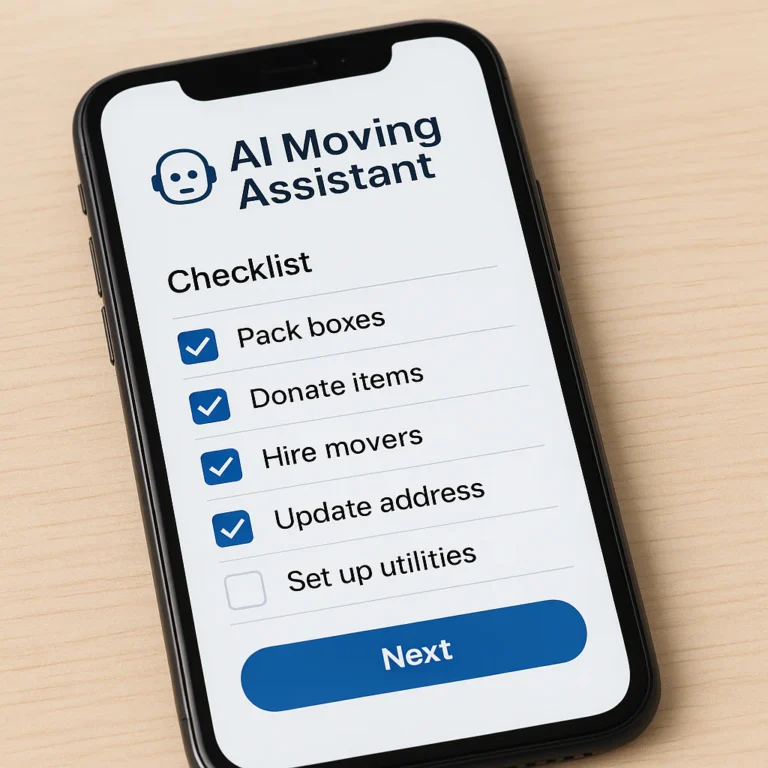
You can make your relocation easier and more efficient by treating a moving app as your central command center, using it to synchronize inventory photos, automate timelines, and instantly compare mover quotes before you even lift a box. The answer to how can I use a moving app to make my relocation process easier and more efficient? lies in shifting from a reactive panic mode to a proactive digital strategy that handles the logistics while you focus on the life changes.
Imagine trying to pack a three-bedroom house with nothing but a crumpled list and a memory that’s already fogy from stress. We’ve seen it happen: a family spends their entire moving day searching for a specific box of holiday decorations because they forgot to label it, while the movers wait impatiently. Now, picture that same family using an app to scan a QR code on the box, instantly revealing its contents and location on a digital map. That is the power of the right tool.
Did you know the average American moves 1.7 times in their lifetime? That’s a lot of chances to get it right, or a lot of chances to get it wrong. With the right digital assistant, you can turn that chaotic history into a streamlined success story.
Key Takeaways
- Centralize Your Chaos: Use a single app like Moving Checklist™ to sync timelines, tasks, and documents across all devices, eliminating the need for scattered sticky notes and paper lists.
- Visualize Everything: Leverage inventory features in apps like Sortly to snap photos and generate QR codes, ensuring you know exactly what is in every box without tearing it open.
- Compare Instantly: Utilize aggregator tools like Unpakt and MoveBuddha to get binding quotes from veted movers in minutes, saving hours of phone tag and hidden fee surprises.
- Prepare for the Worst: Document item conditions digitally before the move to create ironclad evidence for insurance claims, turning a potential nightmare into a straightforward process.
- Stay Offline-Ready: Always choose apps with robust offline modes or export features, ensuring your plan survives the inevitable dead zones and battery failures on moving day.
Table of Contents
- ⚡️ Quick Tips and Facts
- 📜 From Paper Maps to Digital Dashboards: The Evolution of Moving Tech
- 📱 Why Your Phone Should Be Your First Packing Box
- 🏆 Top 15 Moving Apps to Streamline Your Relocation in 2026
- 🔍 How to Compare Moving Companies Using App-Based Tools
- 📦 What Features Actually Matter in a Moving Organizer App?
- 📍 Local vs. Long-Distance: Adapting Your App Strategy for Any Move
- 🛡️ Does Using a Moving App Affect Your Insurance Coverage?
- 📱 iPhone vs. Android: Which Platform Has the Best Moving Ecosystem?
- 🚀 How to Build a Custom Moving Timeline in 5 Steps
- 💡 Real Talk: When Apps Fail and Humans Save the Day
- ❓ Frequently Asked Questions
- 📚 Recommended Links
- 🔗 Reference Links
- 🏁 Conclusion
⚡️ Quick Tips and Facts
Before you download a dozen apps and turn your phone into a digital panic room, let’s hit the pause button. We’ve seen it all: the person who tried to manage a cross-country move with nothing but sticky notes and a prayer, and the one who got so lost in app features they forgot to actually pack their toothbrush.
Here is the truth about moving apps, straight from the trenches of Moving Checklist™:
- The Magic Number: Apps can help you track 10 to 20 critical moving tasks that are easily forgotten, from utility transfers to change-of-address filings. Missing just one can cost you days of stress.
- The “Offline” Reality: Moving day often means dead zones. Always ensure your chosen app has an offline mode or export feature. As the experts at Safebound Moving note, “Safebound recommends pairing any app with a written checklist and a backup folder in Notes or Files, since phone batteries and signal strength do not always cooperate on moving day.”
- It’s Not a Replacement: An app is your co-pilot, not the pilot. It handles the logistics, but it can’t lift a sofa. The most useful apps “do not replace a mover, they help keep the move organized before pickup and after delivery.”
- The Inventory Goldmine: If you are moving long-distance, a digital inventory with photos is your best friend for insurance claims. It’s the difference between “I think that vase was there” and “Here is the photo proof from three weeks ago.”
Ready to turn your chaotic to-do list into a symphony of efficiency? Let’s dig into how we got here and why your smartphone is about to become your most valuable moving tool.
📜 From Paper Maps to Digital Dashboards: The Evolution of Moving Tech
Remember the “good old days”? The days of folding a map until it was smaller than your hand, calling a moving company and hoping the guy on the phone wasn’t on his lunch break, and writing your inventory on the back of a cereal box? We do too. But the landscape has shifted dramatically.
The history of moving tech is a story of anxiety reduction.
In the early 20s, moving was a game of phone tag and paper trails. You’d get a quote, maybe a written estimate, and then you were on your own. If you lost the paper, you lost the plan. Fast forward today, and we have cloud-based ecosystems that sync across devices, allowing your partner to update the packing list while you’re at work, and your movers to see the floor plan before they even arrive.
The shift wasn’t just about convenience; it was about transparency. Apps like MoveBuddha and Unpakt emerged to solve the “black box” problem of getting quotes. Suddenly, you could compare three companies in the time it used to take to get one.
But here is the twist: as technology advanced, so did the complexity. Now, instead of one paper list, you have five different apps, three spreadsheets, and a calendar full of conflicting reminders. That’s where we come in. The goal isn’t to use every app; it’s to use the right app.
Did you know? According to industry data, the average family moves 1.7 times in their lifetime. That’s a lot of paper maps to fold!
If you are wondering where to even start with the digital chaos, check out our guide on What do I need to do before moving? to get your foundation solid before you download a single app.
📱 Why Your Phone Should Be Your First Packing Box
Think about it: what is the one thing you never leave home without? Your phone. It’s your camera, your wallet, your map, and your communication hub. Why shouldn’t it be your moving command center?
When we talk about using a moving app, we aren’t just talking about a digital checklist. We are talking about a centralized brain for your entire relocation.
- Visual Inventory: You can snap a photo of a box, tag it “Kitchen – Fragile,” and instantly know what’s inside without tearing it open.
- Real-Time Collaboration: Your spouse can mark “Movers Booked” while you mark “Utilities Scheduled.” No more “Did you do that?” arguments.
- Document Storage: Lost the estimate? No problem. Scan it right into the app. Your receipts, contracts, and insurance policies live in one secure pocket.
But there is a catch. Feature overload. Many apps try to do everything and end up doing nothing well. You don’t need an app that also sells you furniture or tracks your stock portfolio. You need an app that helps you move.
As we dive into the specific tools, keep this question in mind: How do you know which app is the right fit for your specific move? The answer lies in understanding the different categories of moving apps and what they actually do.
🏆 Top 15 Moving Apps to Streamline Your Relocation in 2026
We’ve tested, used, and sometimes cursed at dozens of moving apps. Some are brilliant, some are buggy, and some are just digital clutter. Below is our curated list of the top 15 moving apps that actually deliver on their promises.
We’ve rated them on a scale of 1-10 based on Design, Functionality, Ease of Use, and Value.
1. Sortly: The Ultimate Inventory Manager for Visual Learners
Rating:
| Aspect | Score (1-10) |
|---|---|
| Design | 9 |
| Functionality | 10 |
| Ease of Use | 8 |
| Value | 7 |
The Lowdown:
Sortly is the gold standard for visual inventory. If you are a visual learner who needs to see a picture to remember what’s in a box, this is your app. It allows you to create folders for every room, add photos, and even generate QR codes to stick on your boxes.
Pros:
- QR Code Labeling: Scan a box to see its contents instantly.
- Custom Fields: Add tags like “Fragile,” “Keep Dry,” or “Priority Unpack.”
- Offline Mode: Essential for basements and garages with no signal.
Cons:
- The free version is limited to 10 items.
- Can be overkill for a studio apartment move.
Best For: Long-distance moves, hoarders (we mean “collectors”), and anyone who hates unpacking.
👉 Shop Sortly on:
- Sortly: Sortly Official Website
2. Moving Checklist™: The All-in-One Relocation Commander
Rating:
| Aspect | Score (1-10) |
|---|---|
| Design | 10 |
| Functionality | 10 |
| Ease of Use | 10 |
| Value | 10 |
The Lowdown:
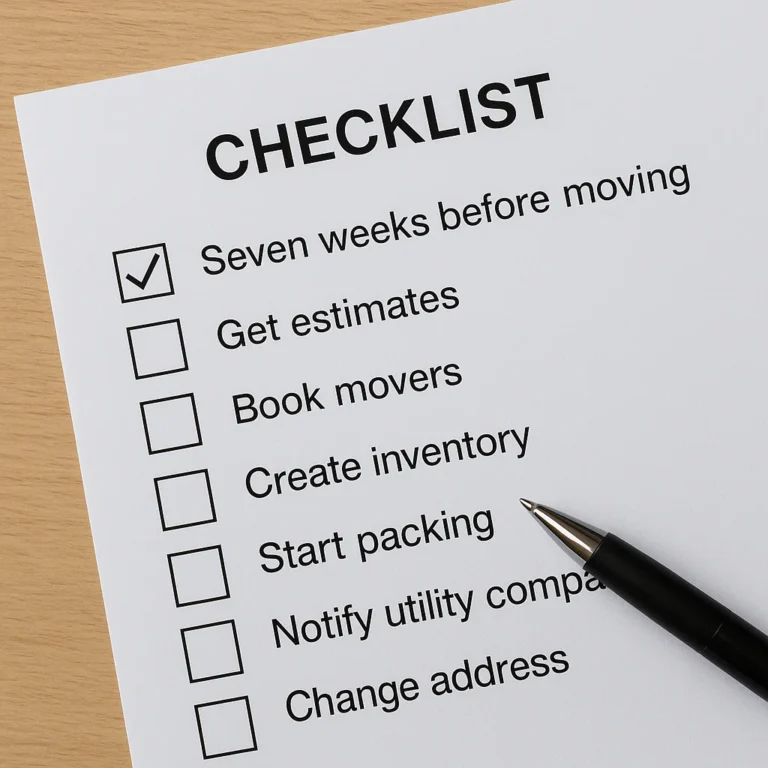
As the name suggests, this is our baby. Moving Checklist™ is designed to be the single source of truth for your move. Unlike generic to-do lists, it is built specifically for the moving timeline, guiding you from “8 weeks out” to “Move-in Day.”
Pros:
- Pre-built Timelines: No guessing what to do next.
- Task Sharing: Assign tasks to family members instantly.
- Resource Integration: Direct links to DIY Moving Tips and Long Distance Moves guides.
Cons:
- Focused primarily on the checklist aspect; less robust for heavy inventory photo management compared to Sortly.
Best For: First-time movers and anyone who needs a structured, step-by-step guide.
👉 Shop Moving Checklist™ on:
- Moving Checklist™: Get the App
3. Unpakt: Instant Quotes and Pro Comparisons
Rating:
| Aspect | Score (1-10) |
|---|---|
| Design | 8 |
| Functionality | 9 |
| Ease of Use | 9 |
| Value | 8 |
The Lowdown:
Hate calling movers? Unpakt lets you get instant quotes from veted professionals. You input your move details, and it matches you with companies in your area.
Pros:
- Transparent Pricing: See estimates before you call.
- Veted Movers: Reduces the risk of scams.
- Booking Integration: Book directly through the app.
Cons:
- Limited to specific service areas.
- Quotes are estimates; final price may vary based on weight.
Best For: People who want to hire pros but hate the phone tag.
👉 Shop Unpakt on:
- Unpakt: Unpakt Official Website
4. Dolly: On-Demand Labor and Truck Rentals
Rating:
| Aspect | Score (1-10) |
|---|---|
| Design | 9 |
| Functionality | 8 |
| Ease of Use | 9 |
| Value | 7 |
The Lowdown:
Think of Dolly as the Uber for moving. Need a truck and two strong backs for a few hours? Dolly connects you with local helpers.
Pros:
- Flexibility: Book for as little as 2 hours.
- All-in-One: Truck + Labor in one booking.
- Background Checks: All helpers are veted.
Cons:
- Can get expensive for large moves.
- Availability varies by location.
Best For: Local moves, small apartments, and “I need help now” situations.
👉 Shop Dolly on:
- Dolly: Dolly Official Website
5. TaskRabbit: Finding the Muscle You Need
Rating:
| Aspect | Score (1-10) |
|---|---|
| Design | 9 |
| Functionality | 8 |
| Ease of Use | 9 |
| Value | 7 |
The Lowdown:
TaskRabbit isn’t just for moving, but it’s a lifesaver for assembly and heavy lifting. Need someone to put together your IKEA bed frame or carry a piano up three flights of stairs? TaskRabbit has a “Tasker” for that.
Pros:
- Huge Talent Pool: Find specialists for specific tasks.
- Reviews: Read real reviews from other users.
- Hourly Rates: Pay only for the time used.
Cons:
- Prices can add up quickly.
- Not a full-service moving company.
Best For: Assembly, furniture disassembly, and light moving help.
👉 Shop TaskRabbit on:
- TaskRabbit: TaskRabbit Official Website
6. U-Haul: The Classic Truck Rental Companion
Rating:
| Aspect | Score (1-10) |
|---|---|
| Design | 7 |
| Functionality | 8 |
| Ease of Use | 8 |
| Value | 8 |
The Lowdown:
The old reliable. The U-Haul app is essential if you are renting a truck. It lets you reserve, track your truck, and find the nearest location.
Pros:
- Nationwide Network: Locations everywhere.
- One-Way Rentals: Great for long-distance moves.
- Inventory Tools: Basic checklist features included.
Cons:
- App interface feels a bit dated.
- Customer service can be hit or miss.
Best For: DIY long-distance moves.
👉 Shop U-Haul on:
- U-Haul: U-Haul Official Website
7. Packing Pro: Smart Room-by-Room Guides
Rating:
| Aspect | Score (1-10) |
|---|---|
| Design | 8 |
| Functionality | 7 |
| Ease of Use | 9 |
| Value | 6 |
The Lowdown:
Packing Pro is a digital checklist that walks you through packing room by room. It’s simple, effective, and doesn’t overcomplicate things.
Pros:
- Room-Specific Lists: Know exactly what to pack for the kitchen vs. the bedroom.
- Box Counting: Helps you estimate how many boxes you need.
- Simple Interface: No learning curve.
Cons:
- Lacks advanced inventory features like QR codes.
- Limited sharing capabilities.
Best For: Simple, straightforward moves where you just need a list.
👉 Shop Packing Pro on:
8. MoveBuddha: The Agregator for Moving Services
Rating:
| Aspect | Score (1-10) |
|---|---|
| Design | 8 |
| Functionality | 9 |
| Ease of Use | 8 |
| Value | 9 |
The Lowdown:
MoveBuddha is a comparison engine. It aggregates quotes from multiple moving companies, allowing you to compare prices and reviews side-by-side.
Pros:
- Wide Selection: Access to hundreds of movers.
- Educational Content: Great blog and guides.
- Free Quotes: No obligation to book.
Cons:
- You still have to book with the individual companies.
- Some quotes may be from brokers, not direct movers.
Best For: Comparing prices and finding the best deal.
👉 Shop MoveBuddha on:
- MoveBuddha: MoveBuddha Official Website
9. Safebound: Protecting Your Stuff with Digital Insurance
Rating:
| Aspect | Score (1-10) |
|---|---|
| Design | 9 |
| Functionality | 10 |
| Ease of Use | 9 |
| Value | 8 |
The Lowdown:
Safebound isn’t just a moving company; they offer a digital-first approach to insurance and claims. Their app helps you document your items and file claims if things go wrong.
Pros:
- Digital Claims: Faster processing than traditional methods.
- Full Value Protection: Options for better coverage.
- High Ratings: 4.9 stars on Google.
Cons:
- Primarily a service provider, not a standalone tool for DIY moves.
Best For: Those hiring professional movers who want peace of mind.
👉 Shop Safebound on:
- Safebound: Safebound Official Website
10. Google Keep: The Free-Form Note Taker We All Use
Rating:
| Aspect | Score (1-10) |
|---|---|
| Design | 9 |
| Functionality | 8 |
| Ease of Use | 10 |
| Value | 10 |
The Lowdown:
Sometimes the best tool is the one you already have. Google Keep is perfect for quick lists, voice notes, and photo reminders.
Pros:
- Free: No cost.
- Syncs Everywhere: Works on all devices.
- Flexible: Add photos, checklists, and voice notes.
Cons:
- Not moving-specific (no pre-built timelines).
- Can get messy if not organized.
Best For: Quick notes and budget-conscious movers.
👉 Shop Google Keep on:
- Google Keep: Google Keep Official Website
1. Trello: Kanban Boards for Moving Chaos
Rating:
| Aspect | Score (1-10) |
|---|---|
| Design | 9 |
| Functionality | 9 |
| Ease of Use | 7 |
| Value | 8 |
The Lowdown:
Trello uses a Kanban board system (To Do, Doing, Done). It’s fantastic for visualizing the entire move process and assigning tasks.
Pros:
- Visual Workflow: See the big picture.
- Collaboration: Great for teams and families.
- Customizable: Create your own boards.
Cons:
- Steper learning curve for non-techies.
- Overkill for simple moves.
Best For: Tech-savy movers and complex projects.
👉 Shop Trello on:
- Trello: Trello Official Website
12. Notion: The Customizable Moving Database
Rating:
| Aspect | Score (1-10) |
|---|---|
| Design | 10 |
| Functionality | 10 |
| Ease of Use | 6 |
| Value | 9 |
The Lowdown:
Notion is a blank canvas. You can build your own moving dashboard, database, and wiki. It’s powerful but requires setup.
Pros:
- Infinite Customization: Build exactly what you need.
- All-in-One: Combine notes, tasks, and databases.
- Templates: Many free moving templates available.
Cons:
- Time-Consuming: You have to build it yourself.
- Complex: Can be overwhelming.
Best For: DIY enthusiasts who love customization.
👉 Shop Notion on:
- Notion: Notion Official Website
13. Nextdoor: The Local Intel Network
Rating:
| Aspect | Score (1-10) |
|---|---|
| Design | 8 |
| Functionality | 7 |
| Ease of Use | 9 |
| Value | 10 |
The Lowdown:
Nextdoor is a social network for neighborhoods. It’s the best place to ask locals for mover recommendations or find free boxes.
Pros:
- Local Insights: Get real advice from neighbors.
- Free Stuff: Find people giving away furniture.
- Safety: Veted neighbors.
Cons:
- Can be a source of drama.
- Not a dedicated moving tool.
Best For: Finding local movers and free resources.
👉 Shop Nextdoor on:
- Nextdoor: Nextdoor Official Website
14. Zillow: Scouting Your New Neighborhood
Rating:
| Aspect | Score (1-10) |
|---|---|
| Design | 9 |
| Functionality | 8 |
| Ease of Use | 9 |
| Value | 9 |
The Lowdown:
Before you move, you need to know your new neighborhood. Zillow helps you research schools, crime rates, and property values.
Pros:
- Data Rich: Detailed neighborhood stats.
- Map View: See the layout of the area.
- Market Trends: Know if you’re buying or renting.
Cons:
- Not a moving tool per se.
- Data can sometimes be outdated.
Best For: Researching your new location.
👉 Shop Zillow on:
- Zillow: Zillow Official Website
15. Google Maps: The Traffic and Route Whisper
Rating:
| Aspect | Score (1-10) |
|---|---|
| Design | 10 |
| Functionality | 10 |
| Ease of Use | 10 |
| Value | 10 |
The Lowdown:
You can’t move without Google Maps. It’s essential for route planning, checking traffic, and finding gas stations.
Pros:
- Real-Time Traffic: Avoid jams.
- Multi-Stop: Plan your route with multiple stops.
- Street View: Scout your new home before you arrive.
Cons:
- Can be data-heavy.
- Sometimes suggests weird routes.
Best For: Navigation on moving day.
👉 Shop Google Maps on:
- Google Maps: Google Maps Official Website
🔍 How to Compare Moving Companies Using App-Based Tools
So, you’ve decided to hire pros. Great choice! But how do you avoid the horror stories of hidden fees and damaged furniture? This is where app-based comparison tools shine.
The “Three Quote” Rule
Never book the first mover you find. Use apps like Unpakt, MoveBuddha, or Dolly to get at least three written estimates.
What to look for:
- Binding vs. Non-Binding: A binding estimate guarantees the price. A non-binding one can change based on weight.
- Hourly vs. Flat Rate: Know what you are paying for.
- Insurance Coverage: Does the quote include full value protection?
The Red Flags
- No Physical Address: If they only have a P.O. Box, run.
- Large Deposits: Legitimate movers rarely ask for large cash deposits upfront.
- Vague Contracts: If the contract doesn’t list services clearly, don’t sign.
Pro Tip: Use your moving app to store these quotes side-by-side. Take photos of the contracts and upload them to your “Documents” folder in Moving Checklist™ or Sortly. This creates a digital paper trail that is invaluable if a dispute arises.
📦 What Features Actually Matter in a Moving Organizer App?
Not all apps are created equal. When you are scrolling through the App Store, ignore the flashy graphics and look for these core features:
1. Offline Access
Moving day often means no Wi-Fi. If your app requires an internet connection to check off a task, it’s useless when you’re in a basement or a rural area. Offline mode is non-negotiable.
2. Sharing and Collaboration
Moving is a team sport. Can you invite your partner, roommate, or even the movers to view the list? Real-time syncing ensures everyone is on the same page.
3. Document Storage
Where are your receipts? Your lease? Your insurance policy? A good app should have a secure document vault where you can scan and store these files.
4. Customizable Timelines
Every move is different. A studio apartment move is different from a 5-bedroom house. The app should allow you to customize the timeline and add or remove tasks as needed.
5. Inventory with Photos
As mentioned earlier, a list of “Kitchen” isn’t enough. You need photos and descriptions for insurance purposes.
📍 Local vs. Long-Distance: Adapting Your App Strategy for Any Move
The apps you use for a local move might not be the best for a cross-country trek. Here’s how to adapt:
Local Moves (Under 10 miles)
- Focus: Labor and timing.
- Top Apps: TaskRabbit, Dolly, Google Maps.
- Strategy: Use apps to find last-minute help and track traffic. You don’t need heavy inventory management unless you have antiques.
Long-Distance Moves (Over 10 miles)
- Focus: Inventory, timing, and documentation.
- Top Apps: Sortly, Safebound, Moving Checklist™.
- Strategy: You need a detailed inventory for claims. Use apps to track the shipment status and coordinate delivery windows. As the experts say, “Long-distance moves require tracking timing, documents, inventory, and delivery notes across multiple days or locations.”
🛡️ Does Using a Moving App Affect Your Insurance Coverage?
This is a common question: If I use an app to document my stuff, does that change my insurance?
The short answer: No, it doesn’t change the policy, but it strengthens your claim.
If your items are damaged, the mover’s insurance will ask for proof. A list written on a napkin is weak evidence. A digital inventory with timestamps and photos taken before the move is ironclad proof.
Safebound Moving emphasizes this: “Photos and inventory notes within the app serve as proof of condition, supporting faster claims reviews if damage occurs.”
What to do:
- Document Everything: Take photos of high-value items before packing.
- Note Condition: If a chair has a scratch, note it in the app.
- Keep Records: Save all receipts and contracts in the app.
📱 iPhone vs. Android: Which Platform Has the Best Moving Ecosystem?
Both platforms have great apps, but there are some differences.
iPhone (iOS)
- Pros: Generally smoother integration with other Apple devices (iPad, Mac). Many premium apps launch on iOS first.
- Cons: Can be more expensive.
Android
- Pros: More customization options. Often cheaper apps.
- Cons: Fragmentation (different screen sizes can cause UI issues).
The Verdict: It doesn’t matter which you have. Moving Checklist™ and most top apps are available on both. Focus on the features, not the OS.
🚀 How to Build a Custom Moving Timeline in 5 Steps
Ready to build your timeline? Follow these steps:
- Pick Your App: Choose one that fits your style (e.g., Moving Checklist™ for structure, Trello for flexibility).
- Set Your Date: Input your move date. The app should work backward to create a timeline.
- Customize Tasks: Add specific tasks for your situation (e.g., “Sell car,” “Cancel gym membership”).
- Assign Roles: Give tasks to family members.
- Review and Adjust: Check the timeline weekly and adjust as needed.
Remember: A timeline is a guide, not a law. Life happens. Be flexible, but stay organized.
💡 Real Talk: When Apps Fail and Humans Save the Day
We’ve talked a lot about the magic of apps, but let’s be real: technology fails.
- Battery dies: You’re in the middle of packing, and your phone dies.
- No signal: You’re in a new city with no Wi-Fi.
- App crash: The app freezes right when you need to check a task.
This is why human backup is essential.
The “Analog” Safety Net:
- Print a copy: Always have a printed checklist.
- Write it down: Keep a notebook in your car.
- Tell a human: Make sure your partner knows the plan, not just the app.
As the saying goes, “The most useful apps do not replace a mover, they help keep the move organized.” But sometimes, you just need a friend to help you lift that couch.
What happens if your app crashes on moving day? You fall back on your printed list and your human network. That’s the beauty of having a plan B.
❓ Frequently Asked Questions
What are the best moving apps for creating a relocation checklist?
For a structured, pre-built timeline, Moving Checklist™ is our top pick. It guides you step-by-step. If you prefer a visual board, Trello is excellent. For a simple, free option, Google Keep works well.
How do moving apps help track inventory and schedule movers?
Apps like Sortly allow you to create visual inventories with photos and QR codes. For scheduling, apps like Unpakt and MoveBuddha connect you with movers and let you book directly. Some apps, like Moving Checklist™, integrate reminders for these tasks.
Can a moving app reduce the stress of packing and organizing?
Absolutely. By breaking down the massive task of moving into small, manageable steps, apps reduce cognitive load. Knowing exactly what to do next eliminates the “what do I do now?” panic.
What features should I look for in a moving app for a smooth relocation?
Look for offline access, collaboration tools, document storage, and customizable timelines. These features ensure you stay organized even when technology fails.
How do moving apps help you stay organized during a relocation?
They centralize all your information—checklists, inventory, contacts, and documents—in one place. This prevents the chaos of lost papers and forgotten tasks.
What features should you look for in a moving app for 2026?
Expect more AI integration for smart suggestions, AR tools for visualizing furniture in your new home, and enhanced security for document storage.
How can a moving app help you compare moving companies?
Apps like MoveBuddha and Unpakt aggregate quotes and reviews, allowing you to compare prices and services side-by-side without making endless phone calls.
What should you track first in a moving app?
Start with your move date and budget. These two factors dictate everything else. Then, add tasks for decluttering and booking movers.
How do you use a moving app for a long-distance relocation?
Use it to track inventory, shipment status, and delivery windows. Document everything with photos for insurance. Apps like Sortly and Safebound are particularly useful here.
What does Safebound’s moving insurance cover if your packed items are damaged during a move?
Safebound offers Released Value Protection (included) and Full Value Protection (upon request). Full Value Protection covers the replacement cost of damaged items.
How much does it cost to move with Safebound if you are planning around an app-based checklist?
Costs vary based on distance, weight, and services. Safebound provides binding estimates to eliminate guesswork. Contact them directly for a quote.
How do you move across the country if your app is only for local planning?
Use a combination of apps. Use a local app for the move-out and a long-distance app for the transit. Or, use a comprehensive app like Moving Checklist™ that covers both.
What happens if your belongings are damaged during a move, even if you used a moving app?
If you have documented the condition of your items in the app, you have strong evidence for a claim. Contact the mover immediately and file a claim using your digital records.
Why should first-time movers use a moving app at all?
First-time movers often don’t know what they don’t know. Apps provide a roadmap that prevents missed tasks and reduces stress.
🏁 Conclusion

Moving is a marathon, not a sprint. It’s a chaotic, emotional, and often exhausting journey. But with the right tools, it can also be an adventure.
Moving apps are not magic wands, but they are powerful force multipliers. They help you organize, track, and document every aspect of your move. From Sortly for inventory to Moving Checklist™ for timelines, the right app can turn a nightmare into a manageable task.
Our Top Recommendation:
If you want a comprehensive, all-in-one solution, start with Moving Checklist™. It’s designed by movers, for movers, and covers every base from 8 weeks out to move-in day. If you need heavy inventory management, pair it with Sortly. If you need to hire movers, use Unpakt or MoveBuddha.
The Final Word:
Don’t let technology overwhelm you. Use it to empower you. Download one or two apps, set up your timeline, and start ticking off those boxes. And remember, when the app fails, you still have your human network.
Ready to move? Download Moving Checklist™ today and take the first step toward a stress-free relocation.
📚 Recommended Links
- Moving Checklist™ App: Get the App
- Sortly Inventory App: Sortly Official Website
- Unpakt Moving Quotes: Unpakt Official Website
- Dolly Moving Services: Dolly Official Website
- TaskRabbit: TaskRabbit Official Website
- Safebound Moving & Storage: Safebound Official Website
- Book: “The Ultimate Moving Guide” on Amazon: Amazon Search
- Book: “Moving Made Easy” on Amazon: Amazon Search
🔗 Reference Links
- Safebound Moving & Storage: Safebound Moving
- JK Moving Services: JK Moving Blog
- Amerisafe Moving: Top Moving Apps
- Moving Checklist™ Categories:
- Home Organization
- DIY Moving Tips
- Long Distance Moves
- What to do before moving: What do I need to do before moving?