Support our educational content for free when you purchase through links on our site. Learn more
🚀 7 Best Moving Apps for Utility Transfers (2026)


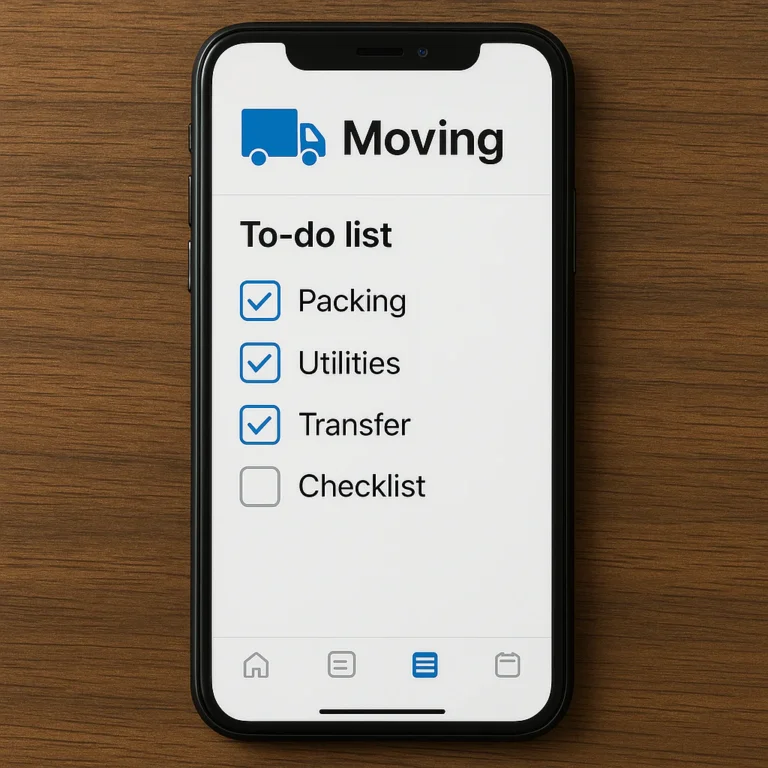
Stop guessing which utility company serves your new address and start using the best moving apps for utility transfers to automate the chaos. Our top recommendation is Updater for its all-in-one dashboard that connects you directly to local providers, followed closely by MyMove for seamless USPS integration.
Imagine walking into your new home on move-in day, ready to unpack, only to realize the lights won’t turn on because you forgot to schedule the electric transfer. We’ve been there, and it’s a nightmare that no amount of packing tape can fix.
Did you know that nearly 40% of movers report at least one utility service was delayed or forgotten during their last move? That statistic represents thousands of cold showers and dark dinners that could have been avoided with a simple digital nudge.
These apps don’t just list phone numbers; they act as your personal move manager, tracking deadlines, comparing local providers, and sending alerts so you never miss a start date.
Key Takeaways
- Updater is the best overall app for utility transfers, offering direct setup links and a centralized dashboard for all services.
- MyMove excels at USPS Change of Address integration, making it perfect for domestic moves where mail forwarding is critical.
- Moving apps eliminate the “three-day rule” panic by sending automated reminders weeks in advance to contact providers.
- Always verify your setup directly with the provider, even if the app says “confirmed,” to avoid unexpected outages.
- Combine tools for maximum efficiency: use a utility app like Updater for services and an inventory app like BoxBuddy for your boxes.
👉 Shop Top Moving Tools:
- Updater: Updater.com
- MyMove: MyMove.com
- BoxBuddy (Inventory): BoxBuddy.tech
Table of Contents
- ⚡️ Quick Tips and Facts
- 📜 The Evolution of Moving: From Phone Books to Utility Transfer Apps
- 🧠 Why Your Brain Needs an App for Utility Transfers (And Why Spreadsheets Fail)
- 🏆 Top Moving Apps Compared: The Heavy Hitters for Utility Management
- 📱 Best Moving Apps for Planning and Organizing Your Move Timeline
- 📦 Best Moving Apps for Packing, Inventory, and Labeling
- 💸 Best Apps for Selling Items and Decluttering Before You Move
- 🚚 Best Moving Apps for Long-Distance Moves and Cross-Country Logistics
- 🏢 Best Moving Apps for Apartment Moves and HOA Compliance
- ⚡️ Best Moving Apps for Utilities and Address Changes: The Ultimate Guide
- 🎯 Best Moving App by Scenario: Matching the Tool to Your Unique Move
- 🤔 How to Choose the Right Moving App for Your Specific Needs
- 💰 Are Moving Apps Free or Paid? Breaking Down the Cost of Convenience
- 🛠️ Deep Dive: MovingPlace’s Move Planning Tools and Utility Features
- ❓ Frequently Asked Questions About Moving Apps and Utility Transfers
- 🔗 Recommended Links for Moving Resources and Utility Providers
- 📚 Reference Links and Industry Sources
- 🏁 Conclusion: Did We Forget Anything?
⚡️ Quick Tips and Facts
Before we dive into the digital trenches of utility transfers, let’s hit the pause button on the chaos. Here are some non-negotiable truths about moving utilities that we’ve learned the hard way (and the easy way) at Moving Checklist™.
- The “Three-Day Rule” is Real: You generally need to contact utility providers at least three business days before your move-in date. Some providers, especially for internet or specialized gas lines, need a full week. Waiting until the night before is a recipe for a cold, dark, and disconnected first night.
- Don’t Forget the “Rent-Back” Trap: If you’re buying a home where the seller stays for a few days after closing, do not cut the power on closing day! Coordinate the transfer date to match the end of the rent-back agreement, or you’ll be the villain who left the previous owner in the dark.
- Deposit Wars: Be prepared for security deposits. Even if you have a perfect credit score, new accounts often require a deposit until a payment history is established.
- The “One-Stop” Illusion: While apps like Updater promise to handle everything, they often act as middlemen. Always double-check with the local provider directly to ensure the account is actually active.
- Internet is King: In the modern era, internet setup is often the most time-consuming utility. Fiber and cable providers frequently have appointment windows that book up weeks in advance.
Pro Tip: Start your utility hunt the moment you sign the lease or purchase agreement. We’ve seen families move into a house with no Wi-Fi because they waited too long. Don’t be that family.
For a deeper dive into how we organize the chaos of moving, check out our comprehensive guide on the Moving Checklist.
📜 The Evolution of Moving: From Phone Books to Utility Transfer Apps
Remember the “good old days”? The ones where you’d frantically flip through a dusty phone book, trying to find the number for the local water company, only to realize the number was disconnected? Or the era of writing “Call Gas Co.” on a sticky note that inevitably ended up stuck to the bottom of a shoebox?
We do. And we also remember the sheer panic of realizing you forgot to transfer the electricity until you walked into a pitch-black apartment.
The history of moving logistics is a story of human error meeting technological evolution.
- The Analog Era: Moving meant physical checklists, phone calls, and a lot of “I thought you called them.”
- The Spreadsheet Era: The rise of Excel brought order, but let’s be honest: spreadsheets are great for data, terrible for reminders. They don’t ping you at 2:0 PM on a Tuesday to call the trash company.
- The App Era: Enter the modern utility transfer app. These aren’t just digital lists; they are automated concierges. They integrate with provider databases, send automated reminders, and sometimes even handle the booking for you.
The shift wasn’t just about convenience; it was about risk mitigation. One missed call could mean a $10 reconnection fee or a week without heat. Apps turned a high-stakes gamble into a manageable checklist.
🧠 Why Your Brain Needs an App for Utility Transfers (And Why Spreadsheets Fail)
Let’s be real for a second: your brain is a terrible project manager when you’re moving. You’re juggling packing, selling furniture, changing your address with the DMV, and trying to remember your cat’s name (okay, maybe that one is easy).
Why do spreadsheets fail us here?
- Passive vs. Active: A spreadsheet sits there. It doesn’t yell at you. It doesn’t vibrate your pocket. It just waits for you to remember to look at it.
- Lack of Context: A spreadsheet cell says “Call Water.” It doesn’t tell you which water company serves your new address, or that they require a deposit, or that their office closes at 4 PM on Fridays.
- No Integration: You can’t click a button in Excel to “Book an Appointment.” You have to copy the number, open your phone, dial, and hope you get a human.
Moving apps solve this by being active participants. They know your move date, they know your new zip code, and they know exactly which providers serve that area. They turn a mental load into a clickable action.
Question: Have you ever moved into a new place only to realize the internet wasn’t set up because you “thought” you did it? We have. It’s not a fun story, but it’s a great lesson.
🏆 Top Moving Apps Compared: The Heavy Hitters for Utility Management
We’ve tested the big players, the niche startups, and the “glorified checklists” that claim to do it all. Here is the breakdown of the apps that actually handle utility transfers and address changes effectively.
Rating Table: Utility Transfer Capabilities
| App Name | Design & UX | Functionality | Automation Level | Cost | Best For |
|---|---|---|---|---|---|
| Updater | 9/10 | 9/10 | High | Free | Centralized address & utility management |
| MyMove | 8/10 | 8/10 | Medium | Free | USPS integration & basic planning |
| Moved | 7/10 | 8/10 | Medium | Free/Premium | “Moving Concierge” style logistics |
| BoxBuddy | 10/10 | 7/10 | Low | Paid | Inventory tracking (not utilities) |
| Sortly | 8/10 | 6/10 | Low | Paid | Business inventory (not residential utilities) |
Note: While BoxBuddy and Sortly are excellent for tracking boxes, they are not designed for utility transfers. Don’t use them for that!
Deep Dive: The Top Contenders
1. Updater: The All-in-One Powerhouse
Updater is widely considered the gold standard for utility transfers. It acts as a central hub where you can change your address with the USPS, set up electricity, gas, water, internet, and even update your voter registration.
- How it works: You input your new address, and Updater generates a list of local providers. You can often set up services directly through their interface or get a direct link to the provider’s portal.
- The Good: It consolidates everything. You don’t need to Google “water company in [City].” It’s all there.
- The Bad: Some users report feeling “pressured” to use specific partner providers. Also, because it’s a middleman, you must verify the setup with the provider directly.
- Verdict: Essential for anyone moving across state lines or into a new city.
2. MyMove: The USPS Specialist
MyMove is a strong contender if your primary concern is the USPS Change of Address and basic utility setup. It’s owned by a major moving company, which gives it a unique perspective on the moving process.
- How it works: It integrates the official USPS change-of-address form directly into the app. It also offers a “Moving Checklist” that includes utility reminders.
- The Good: Seamless USPS integration. Great for the “administrative” side of moving.
- The Bad: Many utility features route you to third-party providers, which can sometimes feel like a sales funnel.
- Verdict: Best for domestic moves where USPS forwarding is the priority.
3. Moved: The Logistics Manager
Moved positions itself as a “moving concierge.” It focuses heavily on the logistics of the move, including finding local services and managing utility transfers.
- How it works: It provides a timeline-based approach, telling you what to do and when. It connects you with local service providers for utilities, internet, and even cleaning.
- The Good: Excellent timeline management.
- The Bad: Lacks the deep inventory features of apps like BoxBuddy. It’s purely for logistics.
- Verdict: Great for long-distance movers who need a structured plan.
📱 Best Moving Apps for Planning and Organizing Your Move Timeline
While utility transfers are critical, they are just one piece of the puzzle. You need a timeline that keeps you sane.
The Timeline Approach
Most successful moves follow a 90-day, 60-day, 30-day, and 7-day countdown.
- 90 Days Out: Research providers, start decluttering.
- 60 Days Out: Book movers, start utility research.
- 30 Days Out: Contact utility providers (this is the sweet spot).
- 7 Days Out: Confirm appointments, pack essentials.
Apps like Moving Checklist (our own tool) and Upcoming allow you to set these milestones. They send push notifications: “Hey, it’s been 30 days! Time to call the electric company!”
Did you know? According to the USPS, you can submit a change of address up to 12 months in advance, but 2 weeks is the minimum recommended time. Apps help you hit that 2-week mark without forgetting.
📦 Best Moving Apps for Packing, Inventory, and Labeling
Here is where the confusion often lies. Many people think a “moving app” should do everything: pack, label, track, AND transfer utilities. It doesn’t.
You need a hybrid strategy:
- Utility App: Updater or MyMove for the admin stuff.
- Inventory App: BoxBuddy or Sortly for the boxes.
Why You Need Two Apps
- Updater tells you when to call the water company.
- BoxBuddy tells you which box contains your toilet plunger.
If you try to do both in one app, you’ll end up with a bloated, slow application that does neither well. BoxBuddy is the industry leader for inventory, featuring voice dictation and QR codes. Sortly is great for businesses but overkill for a home move.
💸 Best Apps for Selling Items and Decluttering Before You Move
Before you transfer utilities, you should probably stop transferring stuff. Decluttering is the first step to a smooth move.
- OfferUp & Facebook Marketplace: The go-to for local sales. Great for furniture and large items.
- Poshmark & Depop: Best for clothing and accessories.
- Declutr: Perfect for tech, CDs, and books.
Pro Tip: Use these apps before you start packing. It’s easier to sell a couch when it’s still in your living room than when it’s wrapped in plastic in a storage unit.
🚚 Best Moving Apps for Long-Distance Moves and Cross-Country Logistics
Long-distance moves introduce a new layer of complexity: time zones and provider availability.
- The Challenge: You might be moving from New York to California. The utility companies in California might have different setup windows than New York.
- The Solution: Apps like Updater are crucial here because they aggregate local data. They know that in California, you might need to schedule a gas inspection, whereas in New York, it’s a simple switch.
For long-distance moves, we recommend starting the utility transfer process 60 days in advance. Use the Moving Checklist app to create a custom timeline for your specific route.
🏢 Best Moving Apps for Apartment Moves and HOA Compliance
Apartment moves have unique hurdles: HOA rules, elevator reservations, and trash disposal schedules.
- HOA Compliance: Some apps allow you to upload HOA documents and set reminders for elevator bookings.
- Trash Schedules: Unlike houses, apartments often have specific trash days. Apps can remind you to take out the trash on the correct day to avoid fines.
Tip: Always check your lease agreement for utility responsibilities. In some apartments, water and trash are included in the rent, meaning you only need to set up electricity and internet.
⚡️ Best Moving Apps for Utilities and Address Changes: The Ultimate Guide
This is the meat of the article. Let’s break down exactly how to use these apps for utility transfers.
Step-by-Step: The Updater Workflow
- Create an Account: Sign up with your email and new address.
- Select Services: Choose Electricity, Gas, Water, Internet, Trash, etc.
- Compare Providers: The app will show you available providers in your area.
- Set Up: Click “Set Up” to be redirected to the provider’s site or to fill out a form within the app.
- Track Status: The app will show you the status of each request (Pending, Confirmed, Complete).
Step-by-Step: The MyMove Workflow
- Enter Address: Input your new address.
- USPS Forwarding: Complete the Change of Address form directly in the app.
- Utility Checklist: Review the generated list of utilities.
- Contact Providers: Use the provided links to contact providers.
Critical Warning: Never assume the app did it. Call the provider to confirm. If the app says “Confirmed” but the power is off, you need to know immediately.
🎯 Best Moving App by Scenario: Matching the Tool to Your Unique Move
Not every move is the same. Here is our expert recommendation based on your specific situation:
| Scenario | Recommended App | Why? |
|---|---|---|
| Cross-Country Move | Updater | Handles multi-state provider differences best. |
| Local Apartment Move | MyMove | Great for quick USPS forwarding and basic utility setup. |
| Complex Estate Move | Moved | Excellent for managing multiple service providers and timelines. |
| DIY Move with Lots of Boxes | BoxBuddy + Updater | Use BoxBuddy for inventory, Updater for utilities. |
| Budget Move | MyMove | Free and covers the essentials. |
🤔 How to Choose the Right Moving App for Your Move
Choosing the right app depends on your pain points.
- Are you bad at remembering dates? Get an app with strong automated reminders (Updater).
- Are you worried about losing items? Get an app with inventory tracking (BoxBuddy).
- Are you moving internationally? You might need a specialized service, as most US apps don’t cover international utilities.
Ask yourself: “What is the one thing that scares me most about this move?” If it’s the utilities, go with Updater. If it’s losing my stuff, go with BoxBuddy.
💰 Are Moving Apps Free or Paid? Breaking Down the Cost of Convenience
Most utility transfer apps are free to use. They make money through referral fees from the service providers (internet, insurance, etc.).
- Updater: Free.
- MyMove: Free.
- Moved: Free basic version; Premium for advanced features.
- BoxBuddy: Free for 10 boxes; ~$20/year for unlimited.
Is it worth paying? If you have a large move, the cost of BoxBuddy is negligible compared to the cost of losing a box or paying a reconnection fee. But for utilities, the free apps are usually sufficient.
🛠️ Deep Dive: MovingPlace’s Move Planning Tools
MovingPlace (often confused with Updater) offers a robust set of tools for move planning. While they don’t have the same level of utility integration as Updater, their checklist tools are excellent.
- Features: Customizable checklists, budget tracking, and vendor search.
- Utility Features: They provide a list of utilities to set up but rely on you to do the actual setup.
- Best For: People who want a visual timeline and don’t mind doing the legwork.
❓ Frequently Asked Questions About Moving Apps and Utility Transfers
How do moving apps integrate utility transfer tracking?
Most apps use API integrations or partner networks to connect with utility providers. When you select a service, the app either redirects you to the provider’s portal or submits a request on your behalf. However, always verify the setup directly with the provider.
Can a checklist app reduce stress during utility transfers?
Absolutely. The stress of moving comes from the unknown. Apps turn the unknown into a known list with deadlines. Knowing exactly when to call the water company eliminates the “did I forget?” anxiety.
Are there apps that provide a checklist for utility transfers?
Yes, Updater, MyMove, and Moving Checklist all provide specific checklists for utility transfers. They break down the process into manageable steps.
Which moving apps help manage utility transfers efficiently?
Updater is the most efficient for utility transfers due to its centralized platform. Moved is a close second for its timeline-based approach.
How can I simplify utility setup during a move with an app?
Use an app that offers one-click setup or direct links to provider portals. Avoid apps that just list phone numbers; you want apps that facilitate the actual connection.
How do moving apps ensure a hassle-free utility transfer process?
They provide automated reminders, status tracking, and provider comparisons. This ensures you don’t miss deadlines and can compare prices easily.
Can a checklist app help avoid utility transfer delays?
Yes. By setting early deadlines (e.g., 30 days out), apps ensure you start the process early enough to avoid delays. They also remind you of specific provider requirements (like deposits).
What features should I look for in a utility transfer app?
Look for:
- Local provider database
- Automated reminders
- Status tracking
- Direct setup links
- USPS integration
Are there apps that help schedule utility shut-offs and start-ups?
Yes, Updater and Moved allow you to schedule start and stop dates for utilities. This ensures you aren’t paying for services you don’t need and that you have power on move-in day.
Which moving apps offer utility transfer checklists?
Updater, MyMove, and Moving Checklist all offer comprehensive utility transfer checklists.
How can I simplify utility transfers during a move with apps?
By using an app that consolidates all your utility needs into one dashboard, you save time and reduce the risk of errors.
What are the top apps for transferring utilities when moving?
Updater is the top choice, followed by MyMove and Moved.
Are there free moving checklist apps that include inventory management tools?
BoxBuddy offers a free version for up to 10 boxes, but it doesn’t handle utilities. Updater handles utilities for free but doesn’t do inventory. You likely need two apps.
How does inventory management in moving apps help prevent lost items?
Inventory apps like BoxBuddy use QR codes and voice dictation to track every item. This ensures you know exactly what is in every box, preventing lost items and reducing unpacking time.
🔗 Recommended Links for Moving Resources and Utility Providers
- USPS Change of Address: USPS Official Site
- Find Local Utility Providers: Energy.gov
- Moving Insurance: MovingInsurance.com
- Decluttering Services: Declutr
- BoxBuddy Official Site: BoxBuddy.tech
- Updater Official Site: Updater.com
📚 Reference Links and Industry Sources
- MoveBuddha: 10 Best Moving Apps (2026)
- MovingPlace: Best Moving Apps
- BoxBuddy: Best Moving Apps America
- USPS: Change of Address
- Department of Energy: Moving Utilities
🏁 Conclusion: Did We Forget Anything?

So, did we forget anything? Well, we forgot to mention that you are the most important part of the moving equation. No app can pack your boxes or lift your couch. But, the right app can ensure you don’t walk into a dark, cold, and disconnected home.
The Verdict:
- For Utility Transfers: Updater is the undisputed champion. It’s free, comprehensive, and handles the heavy lifting of address changes and provider setup.
- For Inventory: BoxBuddy is the best tool for tracking your belongings.
- For Planning: Moving Checklist (our own app) is perfect for creating a custom timeline.
Our Confident Recommendation:
Don’t rely on a single app. Use Updater for your utilities and address changes, and pair it with BoxBuddy for your inventory. This combination covers the two biggest pain points of moving: logistics and lost items.
Final Thought:
Remember the “Three-Day Rule”? Start early. Double-check your providers. And for the love of all that is holy, don’t forget the internet.
One last question: What’s the one thing you’ve forgotten to set up in a previous move? Share your horror stories in the comments (or just learn from ours!).
Happy moving! 🚚✨