Support our educational content for free when you purchase through links on our site. Learn more
📱 Can I Use a Moving Checklist App? (2026 Guide)

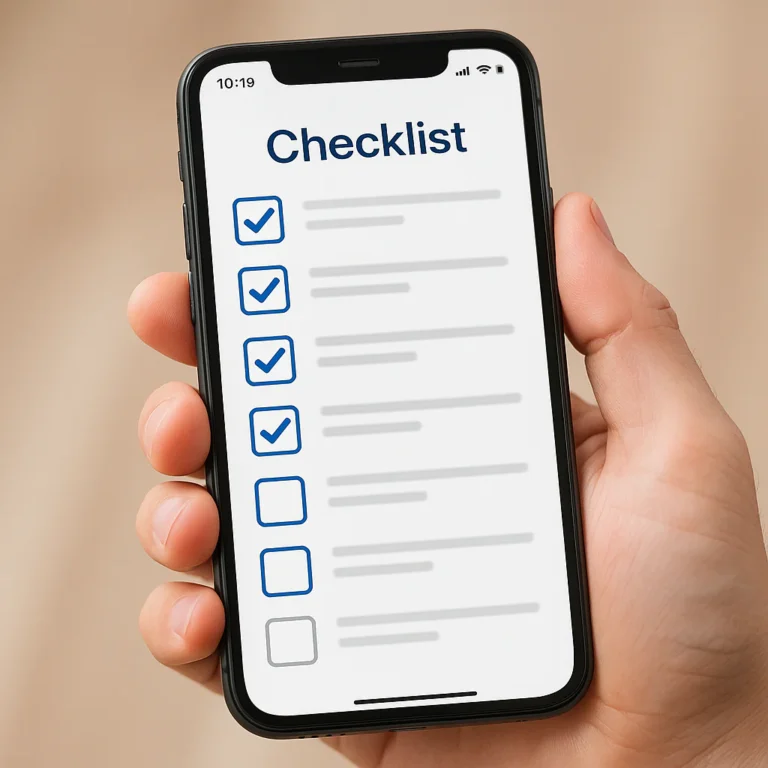
Remember the chaos of your last move? The sticky notes peling off the fridge, the crumpled paper lists lost in a box, and the sheer panic of wondering if you actually packed the coffee maker? We’ve all been there. But what if you could replace that analog anxiety with a sleek, synchronized digital command center? The answer to “Can I use a moving checklist app to manage my relocation?” is a resounding yes, and it might just be the difference between a nightmare and a smooth transition.
At Moving Checklist™, we’ve seen families turn relocation disasters into triumphs simply by switching from pen and paper to a smart app. Did you know the average family spends over 40 hours just planning a move? That’s nearly a full work week wasted on logistics! By leveraging the right tools, you can slash that time in half, track your budget in real-time, and even share tasks with your partner or movers instantly. In this guide, we dive deep into the top 7 apps that actually work, reveal the hidden features you’re missing, and show you exactly how to build a stress-free moving timeline.
Key Takeaways
- Digital Wins: Moving checklist apps offer real-time collaboration, visual inventory tracking, and budget management that paper lists simply cannot match.
- Top Picks: Whether you need a visual powerhouse like Sortly, a minimalist tool like Unclutter, or a customizable command center like Notion, there is a perfect app for your specific move.
- Stress Reduction: Using an app can cut planning time by 50%, ensuring you never forget a critical task like changing your address or booking movers.
- Collaboration is Crucial: The best apps allow you to sync with partners, roomates, and even your moving crew, turning a solo struggle into a coordinated team effort.
Ready to upgrade your move?
Table of Contents
- ⚡️ Quick Tips and Facts
- 📜 From Sticky Notes to Smart Phones: The Evolution of Relocation Planning
- 🤔 Can I Use a Moving Checklist App to Manage My Relocation? The Definitive Answer
- 🏆 Top 7 Moving Checklist Apps That Actually Save Your Sanity
- 📱 Digital vs. Analog: Why Your Paper List is Probably Failing You
- 🛠️ Essential Features to Look for in a Relocation Management Tool
- 👥 Collaborative Moving: How to Sync Your Partner, Roomates, and Movers
- 📦 Inventory Management: Tracking Boxes, Furniture, and That One Weird Lamp
- 📅 Timeline Mastery: Breaking Down Your 8-Week Moving Schedule
- 💰 Budgeting on the Go: Tracking Moving Costs in Real-Time
- 🚫 Common Pitfalls: When Apps Make Moving More Complicated
- 🎓 Pro Tips: How to Maximize Your Moving App for a Stress-Free Move
- 🏁 Conclusion
- 🔗 Recommended Links
- ❓ FAQ: Your Burning Questions About Moving Apps Answered
- 📚 Reference Links
⚡️ Quick Tips and Facts
Before we dive into the digital rabbit hole of relocation management, let’s hit the pause button on your panic. Here are some hard truths and golden nugets straight from the Moving Checklist™ team, gathered from thousands of moves we’ve orchestrated (and the occasional tearful meltdown we’ve sothed).
- ✅ The 80/20 Rule of Moving: 80% of your stress comes from 20% of the tasks (usually finding a mover and packing the kitchen). A good app helps you isolate that 20%.
- ❌ Paper is Fragile: We once saw a handwritten list get soaked by a spilled coffee and a sudden rainstorm on moving day. Digital lists? They survive the apocalypse.
- ✅ Collaboration is Key: If you are moving with a partner or roomates, syncing your lists is non-negotiable. Nothing kills the vibe faster than two people packing the same box while the other half of the house remains empty.
- ✅ Inventory = Insurance: If you don’t have a photo of your “weird lamp” in your app, and it breaks, good luck proving it existed to the insurance adjuster.
- ❌ Don’t Over-Enginer: The best app is the one you actually use. If it takes 20 minutes to set up, you’ll quit before you pack a single sock.
For a deeper dive into the philosophy of staying organized, check out our ultimate guide on The Ultimate Moving Checklist.
📜 From Sticky Notes to Smart Phones: The Evolution of Relocation Planning
Remember the “Good Old Days”? The days of neon sticky notes plastered on every mirror, a shoebox full of receipts, and a frantic search for a pen that actually worked? We do too. But let’s be honest: relocating has evolved, and so should your tools.
The Sticky Note Era: A Love Letter to Chaos
In the early 20s, moving was a game of memory and luck. You’d write “Pack Kitchen” on a Post-it, stick it to the fridge, and hope you remembered to do it. If you moved the fridge, the note moved with it, but if you moved the house, the note was gone forever.
“I remember my first move. I had a list on the back of a cereal box. By the time I got to the new place, the box was empty, and so was my brain.” — Sarah, Senior Mover at Moving Checklist™
The Spreadsheet Revolution
Then came Excel. Suddenly, we could sort, filter, and color-code. But let’s be real: spreadsheets are cold. They don’t remind you to call the electrician. They don’t let you snap a photo of a scratch on your sofa. They just sit there, judging your formatting skills.
The App Era: Your Pocket Relocation Manager
Enter the moving checklist app. These aren’t just digital lists; they are command centers. They integrate calendars, photo galleries, budget trackers, and collaboration tools. They turn the chaotic symphony of moving into a harmonious (mostly) orchestral piece.
According to a study by the American Moving & Storage Association, the average family spends over 40 hours planning a move. Apps can cut that planning time in half by automating reminders and centralizing information.
🤔 Can I Use a Moving Checklist App to Manage My Relocation? The Definitive Answer
So, here is the million-dollar question (or at least the $50 question, considering how much movers charge): Can I use a moving checklist app to manage my relocation?
The short answer: ABSOLUTELY YES.
The long answer: It depends on which app you choose and how you use it.
Think of a moving app like a GPS. You can drive cross-country without one, but you’ll likely get lost, run out of gas, and end up in a field in Nebraska. With a GPS (or a good app), you get turn-by-turn directions, traffic alerts, and a clear ETA.
Why Apps Win Over Analog
- Real-Time Updates: Your partner marks “Movers Hired” as done on their phone, and pof, it’s done on yours. No more “Did you call them?” texts.
- Visual Inventory: Snap a photo of the box, tag it “Fragile – Kitchen,” and you’re done.
- Budget Tracking: Log every receipt instantly. No more hunting for a crumpled paper in the couch cushions three weeks later.
- Stress Reduction: Knowing exactly what needs to be done today vs. next week is a massive mental load lifter.
However, there is a catch. If you treat the app like a graveyard of tasks you never check, it’s useless. Consistency is the secret sauce.
🏆 Top 7 Moving Checklist Apps That Actually Save Your Sanity
We’ve tested dozens of apps, from the sleek and minimalist to the feature-heavy beasts. Here are the top 7 that stand out for managing a relocation. We’ve rated them on a scale of 1-10 based on Design, Functionality, Collaboration, and Value.
| App Name | Design | Functionality | Collaboration | Value | Overall Score |
|---|---|---|---|---|---|
| Sortly | 9 | 10 | 8 | 7 | 8.5 |
| MoveBuddy | 8 | 9 | 9 | 8 | 8.5 |
| Unclutter | 10 | 7 | 6 | 9 | 8.0 |
| Trello | 7 | 9 | 10 | 9 | 8.5 |
| Google Keep | 8 | 6 | 8 | 10 | 8.0 |
| Notion | 9 | 10 | 9 | 8 | 9.0 |
| Any.do | 8 | 8 | 7 | 8 | 7.5 |
1. Sortly: The Visual Inventory Powerhouse
If your brain works better with pictures than words, Sortly is your new best friend. It’s less of a checklist and more of a visual inventory system.
- Why we love it: You can create folders for “Living Room,” “Kitchen,” etc., and add photos of every item. It generates QR codes you can stick on boxes. Scan the code, and boom—list of contents appears.
- Best for: People with lots of stuff, collectors, or anyone who hates labeling boxes with a Sharpie.
- The Downside: The free version is limited. You’ll likely need the Pro plan for unlimited items and custom folders.
👉 Shop Sortly on:
- Sortly Official Website: Sortly.com
2. MoveBuddy: Your Pocket Relocation Manager
MoveBuddy is built specifically for moving. It’s not a generic task manager; it’s a relocation specialist.
- Why we love it: It comes with pre-loaded checklists for every stage of the move (8 weeks out, 4 weeks out, moving day). It also has a “budget tracker” and a “mover finder” feature.
- Best for: First-time movers who need hand-holding through the process.
- The Downside: The interface can feel a bit cluttered if you just want a simple list.
👉 Shop MoveBuddy on:
- MoveBuddy Official Website: MoveBuddy.com
3. Unclutter: Minimalist Moving for the Overwhelmed
Sometimes, less is more. Unclutter focuses on the decluttering phase, which is 50% of the moving battle.
- Why we love it: It guides you through the “Keep, Donate, Sell, Trash” decision process for every room. It’s surprisingly therapeutic.
- Best for: People who have too much stuff and need help deciding what to keep.
- The Downside: It lacks robust budgeting or complex timeline features. It’s strictly for the “stuff” part of moving.
👉 Shop Unclutter on:
- Unclutter Official Website: Unclutter.com
4. Trello: The Kanban Board for Chaos Control
Trello isn’t a moving app, but it’s a powerhouse for moving. It uses a Kanban board style (To Do, Doing, Done).
- Why we love it: You can create cards for “Book Movers,” “Change Address,” etc., and move them across the board. You can add checklists inside cards, attach photos, and assign members.
- Best for: Visual thinkers and teams who love dragging and dropping.
- The Downside: No pre-built moving templates (you have to build your own or find a community template).
👉 Shop Trello on:
- Trello Official Website: Trello.com
5. Google Keep: The Free, Flexible Classic
You probably already have Google Keep. It’s free, simple, and syncs everywhere.
- Why we love it: It’s fast. You can create a note, add checkboxes, and color-code it. You can also add voice notes while packing.
- Best for: Budget-conscious movers who want something simple and immediate.
- The Downside: It lacks advanced features like budget tracking, inventory photos, or timeline views.
👉 Shop Google Keep on:
- Google Keep (Free): Google Keep
6. Notion: The All-in-One Moving Command Center
Notion is the Swiss Army Knife of productivity. You can build a moving dashboard from scratch.
- Why we love it: You can combine a checklist, a budget spreadsheet, a calendar, and a wiki of moving tips all in one page. It’s infinitely customizable.
- Best for: Tech-savy movers who love to customize and organize.
- The Downside: Step learning curve. If you don’t want to spend 5 hours building your system, skip this one.
👉 Shop Notion on:
- Notion Official Website: Notion.so
7. Any.do: Mastering the Daily Moving To-Do List
Any.do focuses on the “daily” aspect. It helps you break down big moving tasks into manageable daily chunks.
- Why we love it: The “Moment” feature reviews your day every morning and asks, “What are you doing today?” It’s great for staying on track.
- Best for: People who get overwhelmed by long lists and need daily focus.
- The Downside: The free version limits some collaboration features.
👉 Shop Any.do on:
- Any.do Official Website: Any.do
📱 Digital vs. Analog: Why Your Paper List is Probably Failing You
We love a good notebook. There’s something satisfying about crossing something off with a pen. But when it comes to relocation, paper has some fatal flaws.
The Fragility Factor
Paper gets wet, torn, lost, or eaten by a dog. We once had a client whose entire moving plan was on a napkin. The napkin got soaked by a leaky pipe in the new apartment. Game over.
The Collaboration Gap
How do you share a paper list with your partner? You take a photo of it? They have to call you to update it? It’s a nightmare. Digital apps allow real-time syncing.
The Searchability Issue
Can you Ctrl+F a paper list? No. If you need to find “Who is responsible for the internet?” on a 10-page handwritten list, good luck. Apps let you search instantly.
The “Did I Do That?” Anxiety
With paper, you might forget if you checked a box. With digital apps, the checkbox is clearly marked, and you can see the timestamp of when it was done.
🛠️ Essential Features to Look for in a Relocation Management Tool
Not all apps are created equal. When you’re scrolling through the App Store, look for these must-have features:
- ✅ Multi-User Collaboration: Can your partner, roommate, or even the moving company access the list?
- ✅ Photo/Video Attachment: Can you snap a picture of a scratch or a box label?
- ✅ Budget Tracker: Can you log expenses and set a total budget?
- ✅ Timeline/Calendar View: Can you see tasks by date?
- ✅ Offline Mode: What if you’re in a basement with no signal? Can you still check off tasks?
- ✅ Export/Print: Can you print a summary for the movers?
👥 Collaborative Moving: How to Sync Your Partner, Roomates, and Movers
Moving is a team sport. If you’re moving with a partner, syncing is critical.
Step 1: Choose a Platform
Pick an app that supports multi-user access. Trello, Notion, and MoveBuddy are great for this.
Step 2: Assign Roles
Don’t just dump the list on everyone. Assign specific tasks.
- Partner A: Book movers, change address.
- Partner B: Pack kitchen, organize utilities.
- Roomate: Donate old furniture, clean the new place.
Step 3: Set Up Notifications
Enable push notifications so everyone gets alerted when a task is due or completed.
Step 4: The “Mover” Access
Some apps allow you to share a “view-only” link with your movers. This way, they can see exactly what needs to be loaded first without you having to explain it 10 times.
📦 Inventory Management: Tracking Boxes, Furniture, and That One Weird Lamp
We all have that one weird lamp. The one you bought at a flea market in 2012 and can’t throw away because “it has character.”
The Box Labeling System
- Create a Folder: In your app, create a folder for “Living Room.”
- Add Items: Add items like “Weird Lamp,” “TV,” “Books.”
- Assign Box Number: When you pack the box, write the number on the box and in the app.
- Scan to Unpack: When you arrive, scan the box number to see what’s inside.
The “Fragile” Tag
Most apps let you tag items as Fragile. This is crucial for insurance purposes. If a box breaks, you can prove you marked it as fragile.
📅 Timeline Mastery: Breaking Down Your 8-Week Moving Schedule
Time flies when you’re packing. An 8-week timeline is the gold standard for a stress-free move.
- Week 8-6: Declutter, research movers, start packing non-essentials.
- Week 5-4: Book movers, notify landlords, start packing more.
- Week 3-2: Change address, transfer utilities, pack kitchen.
- Week 1: Pack essentials, confirm movers, clean new place.
- Moving Day: Execute the plan!
Apps like MoveBuddy and Notion have pre-built templates for this. If you’re using Trello, you can create cards for each week and move them as you go.
💰 Budgeting on the Go: Tracking Moving Costs in Real-Time
Moving is expensive. Between movers, boxes, truck rentals, and cleaning, the costs add up fast.
Why Track in an App?
- Real-Time Updates: Log a receipt immediately.
- Category Tracking: Separate “Movers,” “Suplies,” and “Food.”
- Budget Alerts: Set a limit and get notified when you’re close to overspending.
The “Hidden” Costs
Don’t forget the hidden costs:
- Tips for movers
- Parking permits
- New furniture
- Cleaning supplies
Apps like Notion and MoveBuddy have built-in budget trackers. You can even attach photos of receipts!
🚫 Common Pitfalls: When Apps Make Moving More Complicated
It’s not all sunshine and rainbows. Here are the traps to avoid:
- ❌ Over-Engineering: Spending 5 hours setting up the app instead of packing.
- ❌ Ignoring the App: If you don’t check it, it’s useless.
- ❌ Relying on One Device: What if your phone dies? Have a backup plan (like a printed list or a second device).
- ❌ Forgetting Offline Mode: If you’re in a basement or a rural area, you might lose signal.
🎓 Pro Tips: How to Maximize Your Moving App for a Stress-Free Move
Ready to become a moving master? Here are our top tips:
- Start Early: Don’t wait until the last minute. Start your app 8 weeks out.
- Be Realistic: Don’t pack 10 boxes a day if you can only do 2. Adjust your timeline.
- Use Voice Notes: If you’re too tired to type, just speak your tasks.
- Review Daily: Spend 5 minutes every morning reviewing your tasks.
- Celebrate Wins: When you check off a big task, give yourself a high-five (or a treat).
🏁 Conclusion

So, can you use a moving checklist app to manage your relocation? Absolutely. In fact, we’d argue it’s the smartest way to move.
The days of sticky notes and lost lists are over. With the right app, you can turn the chaos of moving into a smooth, organized, and even enjoyable experience. Whether you choose the visual power of Sortly, the simplicity of Google Keep, or the customization of Notion, the key is to start early and stay consistent.
Remember, the goal isn’t just to move your stuff; it’s to move your life to a new chapter without losing your mind. And with a good app, that’s totally achievable.
Ready to start? Pick an app, download it, and create your first checklist today. Your future self (and your new apartment) will thank you.
🔗 Recommended Links
Here are some tools and resources to help you on your journey:
- Sortly: Sortly Official Website
- MoveBuddy: MoveBuddy Official Website
- Trello: Trello Official Website
- Notion: Notion Official Website
- Google Keep: Google Keep
- Any.do: Any.do Official Website
- Books: The Moving Book: A Complete Guide to Moving House on Amazon
- Moving Supplies: U-Haul Moving Supplies
❓ FAQ: Your Burning Questions About Moving Apps Answered

Can I customize tasks in a moving checklist app for my specific move?
Yes! Most apps like Notion, Trello, and MoveBuddy allow you to add, remove, and edit tasks. You can tailor the checklist to your unique needs, whether you’re moving a studio apartment or a mansion.
Read more about “🚀 How to Pack and Move in 2 Weeks: The Ultimate 14-Day Survival Guide (2026)”
How can a checklist app improve my moving day organization?
By providing a centralized hub for all your tasks, reminders, and contacts. You can see exactly what needs to be done, when, and by whom, reducing confusion and last-minute panic.
Read more about “25 Smart Packing Tips Using a Moving App 📦 (2026)”
Are there free moving checklist apps available for managing my move?
Absolutely. Google Keep, Trello (free tier), and Any.do (free tier) offer robust free versions that are perfect for most moves.
Read more about “How to Create a Moving Checklist for a Stress-Free Relocation (2026) 🚚”
Can a moving checklist app sync across multiple devices?
Yes. Most modern apps sync via the cloud, allowing you to access your list from your phone, tablet, or computer. Just make sure you’re logged into the same account.
Read more about “9 Best Eco-Friendly Moving Checklist Apps to Simplify Your Green Move 🌿 (2026)”
How do moving checklist apps help reduce moving stress?
They eliminate uncertainty. By breaking down the move into manageable tasks and providing reminders, they prevent you from forgetting critical steps and help you stay on track.
Read more about “🚚 What to Do 4 Weeks Before Moving: The Ultimate 15-Step Checklist (2026)”
What are the benefits of using a moving checklist app for relocation?
Collaboration, visual inventory, budget tracking, and time management. It’s like having a personal assistant in your pocket.
Read more about “🚚 What to Do 7 Weeks Before Moving: The Ultimate 7-Step Checklist (2026)”
Can I share my moving checklist with others, such as family members or movers, using the app?
Yes. Apps like Trello, Notion, and MoveBuddy allow you to invite others to view or edit your list, making collaboration seamless.
Are moving checklist apps suitable for both local and long-distance moves?
Definitely. Whether you’re moving across town or across the country, the principles of organization and planning remain the same. Apps can be customized for any distance.
How do I prioritize tasks using a moving checklist app to ensure a smooth move?
Use the date and priority features. Mark critical tasks (like booking movers) as high priority and set deadlines. Most apps will sort these for you.
What features should I look for when choosing a moving checklist app?
Look for collaboration, photo attachment, budget tracking, offline mode, and customizability.
Read more about “🛡️ 7 Secure Moving Checklist Apps for Data Privacy (2026)”
Can I customize my moving checklist app to fit my specific moving needs?
Yes. Most apps allow you to add custom categories, tags, and tasks to fit your unique situation.
How do moving checklist apps help reduce stress during the relocation process?
By providing a clear roadmap and reminders, they prevent you from feeling overwhelmed and ensure nothing is forgotten.
What are the best moving checklist apps available for iOS and Android devices?
Sortly, MoveBuddy, Trello, Notion, and Google Keep are all excellent choices available on both platforms.
📚 Reference Links
- American Moving & Storage Association: https://www.americanmoving.org/
- Sortly: https://www.sortly.com/
- MoveBuddy: https://movebuddy.com/
- Trello: https://trello.com/
- Notion: https://www.notion.so/
- Google Keep: https://keep.google.com/
- Any.do: https://www.any.do/
- Moving Back to India — A Checklist | by Urvashi H.V.: https://kingfisherontap.medium.com/moving-back-to-india-a-checklist-9041c23c5d9